XdevCheckBox
- Copy Page Tree
- RapidClipse Translator Services
The XdevCheckBox is a selection component that can map only two conditions; namely, selected and not selected. The field name is displayed next to the checkbox.
The XdevCheckBox is a form component and can be persisted via XdevFieldGroup.For this, you must link the XdevCheckBox under XdevFieldGroup > Field mapping > Property to an attribute of type Boolean.
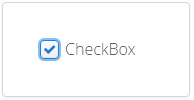
Important properties:
Caption - Displays text as label.
Required - The form component is defined as a mandatory field. You need to make a selection from the available options, complete the field, or select the required option.
RequiredError - An error message that appears when a form component that is defined as a mandatory field is not filled out, selected or no selection has been made.
- Shortcut
TabIndex - Defines the sequence in the tab index. The tab index defines the order of several UI components. These can be selected one by one by pressing the Tab key.
Important events:
valueChange - Is triggered after changes to the content, mainly by adding or deleting characters, however only if the UI component loses the focus.
Data binding:
Data container (model) - Property
A property can be set to implicit using setValue
// Sets the Property

checkBox.setValue(true);
or by setting the property of an item as the model. As such, the allocation can be set using the setPropertyDataSource method.
// Gets a property from the SeletcedItem of a Table with "Product" Entities
Property<?> itemProperty = this.table.getSelectedItem().getItemProperty("discontinued");

// Sets the Property
checkBox.setPropertyDataSource(itemProperty);
Examples:
Read value
Boolean value = checkBox.getValue();
Set value - When “true” is selected, the check mark of the check box is set.
checkBox.setValue(true);
Reset check box
checkBox.clear();
Allocate focus: Allocates the focus on the XdevInlineDateField. This can trigger a focus event, if necessary.
checkBox.focus();
All XdevCheckBox Methods
XDEV Software Corp. - One Embarcadero Center, San Francisco, CA 94111, US
Copyright © 2015. XDEV Software Corp. All rights reserved.