XdevUpload
- Copy Page Tree
- Christian K
- RapidClipse Translator Services
With the upload component, you can access the local file system of the client to select any files and upload them on the server.
Variant 1: Property "Immediate = false"
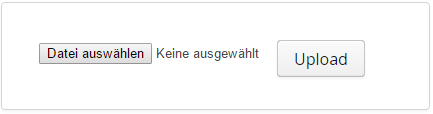
The component consists of two buttons: the first opens the local file manager and enables the selection of a file, whereas the second starts the upload activity.
The name of the selected file will be displayed between the two buttons. Important: The upload does not start until the "Upload" button is pressed.
Variant 2: Property "Immediate = true"
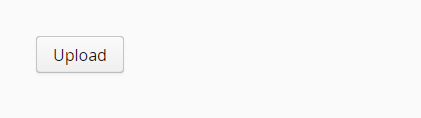
The component consists of only one button. This triggers the filechooser and the upload immediately. Important: The upload is triggered immediately after the file selection.
The upload component requires a "receiver" which receives the file on the server side and processes it. The receiver can be initialized in the constructor or in the INIT-event of the respective window. See code example below.
Important properties:
- ButtonCaption - Label of the upload button.
Caption - Displays text as label.
- Receiver - The receiver is an object that processes the file on the server side.
TabIndex - Defines the sequence in the tab index. The tab index defines the order of several UI components. These can be selected one by one by pressing the Tab key.
Important events:
- uploadFailed - Is triggered when the upload fails.
- uploadFinished - Is triggered as soon as the upload has ended. At this point, it is still not clear if the upload was successful.
- updateProgress - Is triggered regularly during the upload. Thus it is possible to track the progress of the upload.
- uploadStarted - Is triggered as soon as the upload has started.
- uploadSucceeded - Is triggered as soon as the upload has ended and was successful.
Data binding:
- No data binding available.
Examples:
File upload
public class MainView extends XdevView {

	File file;

	/**
	 *
	 */
	public MainView() {
		super();
		this.initUI();

		final Receiver receiver = new Receiver() {

		    @Override
		    public OutputStream receiveUpload(final String filename, final String mimeType) {
		        // Create upload stream to write to

		        FileOutputStream fos = null;
		        try {

		            // Get path to servlet's temp directory
		            final File temporaryDirectory = (File) VaadinServlet.getCurrent().getServletContext().getAttribute(ServletContext.TEMPDIR);

		            // Concatenate temporaryDirectory with filename and open the file for writing.
		            MainView.this.file = new File(temporaryDirectory, filename);

		            // Create the output stream
		            fos = new FileOutputStream(MainView.this.file);

		        } catch (final java.io.FileNotFoundException e) {
		            Notification.show("Could not open file", Type.ERROR_MESSAGE);
		            return null;
		        }
		        return fos;
		    }
		};

		// Set Receiver for upload component
		this.upload.setReceiver(receiver);
	}
XDEV Software Corp. - One Embarcadero Center, San Francisco, CA 94111, US
Copyright © 2015. XDEV Software Corp. All rights reserved.